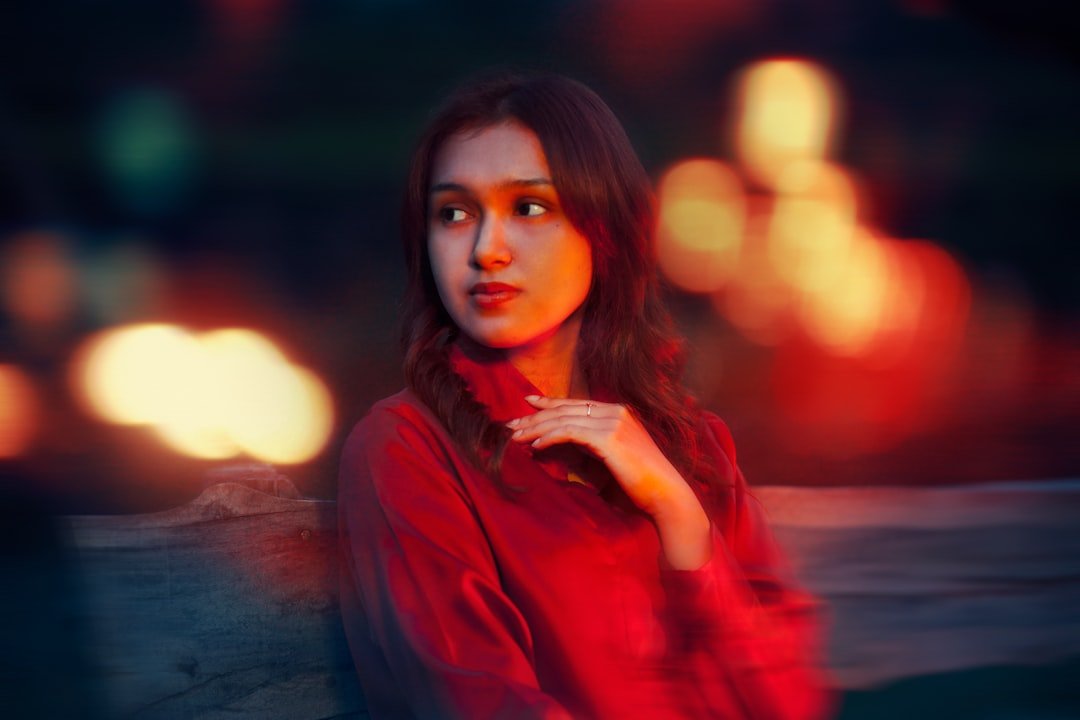
For decades, photographers seeking that coveted dreamy, luminous aesthetic have navigated a complex landscape of workarounds. The soft glow effect—that ethereal quality that flatters skin tones, softens harsh details, and adds an almost ethereal quality to images—has traditionally required piecing together multiple post-processing techniques.
The Evolution of a Popular Effect
Historically, creating this signature look demanded considerable technical expertise and experimentation. Photographers would layer multiple adjustment masks, apply diffusion filters, purchase specialized Photoshop actions, or invest in third-party plugins specifically designed to replicate this aesthetic. Each approach offered varying degrees of success, with results often dependent on the photographer’s skill level and the specific subject matter being edited.
The soft glow technique became especially popular in portraiture, fashion, and romantic wedding photography, where its flattering qualities enhanced the emotional impact of images. However, achieving consistent, professional-grade results remained time-consuming and often unpredictable across different images.
Adobe’s Native Solution Changes the Game
Adobe has fundamentally altered this workflow by integrating a native soft glow adjustment directly into Camera Raw. This built-in feature represents a significant shift in how photographers can approach post-processing efficiency and quality.
What sets Adobe’s implementation apart from previous solutions is its intelligent handling of the effect. Rather than simply layering opacity or creating mechanical diffusion, the native tool works with Camera Raw’s processing engine to produce results that surpass the patchwork methods photographers previously relied upon. The integration means the adjustment responds naturally to the image’s unique tonal and color information, delivering more sophisticated and customizable outcomes.
Why This Matters for Modern Photographers
This development streamlines an essential creative technique into the standard editing interface. Photographers no longer need to maintain collections of expensive plugins or remember complex layering sequences. Instead, they access the effect through familiar Camera Raw controls, complete with real-time preview capabilities and intuitive adjustment parameters.
The tool’s inclusion in Camera Raw demonstrates Adobe’s commitment to addressing actual photographer workflows. By studying how professionals approach common aesthetic goals, Adobe identified that a properly implemented soft glow function deserved permanent residence in their foundational editing software.
Performance and Flexibility
Beyond mere convenience, the native implementation delivers superior performance. Processing occurs at Camera Raw’s computational level, meaning photographers can apply the effect without degrading image quality through multiple adjustment layers. The adjustment integrates seamlessly with existing Camera Raw controls, allowing users to balance soft glow intensity with exposure, clarity, and color grading in a unified environment.
Photographers working across various genres—from portraits to landscapes—will find practical applications. The adjustable nature of the tool means users can apply subtle enhancement for natural-looking results or increase intensity for more artistic interpretations.
Looking Forward
This addition represents a larger trend in professional imaging software: bringing specialized, previously complex techniques into core applications with refined, user-friendly implementations. As photographers continue demanding more efficient workflows without sacrificing creative control, such integrations prove invaluable for both professionals and enthusiasts seeking to elevate their craft.